Documentation Index

Fetch the complete documentation index at: https://docs.startale.com/llms.txt

Use this file to discover all available pages before exploring further.

Every image and video in the manifest is validated. Submissions that fail validation are rejected. For best results, export marketing assets as high-quality WebP. Use PNG only where it is strictly necessary, for example sharp logos on flat backgrounds.

Images

FieldDimensionsAspectMax sizeFormatsNotes
iconUrl1024 × 1024 px1:1512 KBWebP (recommended), PNG, JPGNo transparency. Submit as flat square, the corner radius is applied by the Startale App.
splashImageUrl200 × 200 px1:150 KBWebP (recommended), PNG, JPGCentered icon shown while the iframe loads.
heroImageUrl1200 × 630 px1.91:1512 KBWebP (recommended), PNG, JPGUsed for the app grid card.
imageUrlAny3:23 MBPNG, JPG, JPEG, WebPEmbed preview image. Flexible resolution at 3:2.
ogImageUrl1200 × 630 px1.91:1256 KBWebP (recommended), PNG, JPGSocial previews on X, Telegram, Discord.
featuredBannerImageUrl2400 × 1260 px1.91:11 MBWebP (recommended), PNG, JPGFeatured rotation banner at the top of the explorer.
screenshotUrls[]1284 × 2778 pxPortrait750 KB eachWebP (recommended), PNG, JPGMaximum 3 screenshots.

Videos

FieldDimensionsAspectMax durationMax sizeFormat
heroImageUrlAnimated1200 × 630 px1.91:14 seconds1 MBMP4, H.264 baseline, max 30 fps, no audio
featuredBannerImageUrlAnimated2400 × 1260 px1.91:14 seconds2 MBMP4, H.264 baseline, max 30 fps, no audio

Icon safe zone

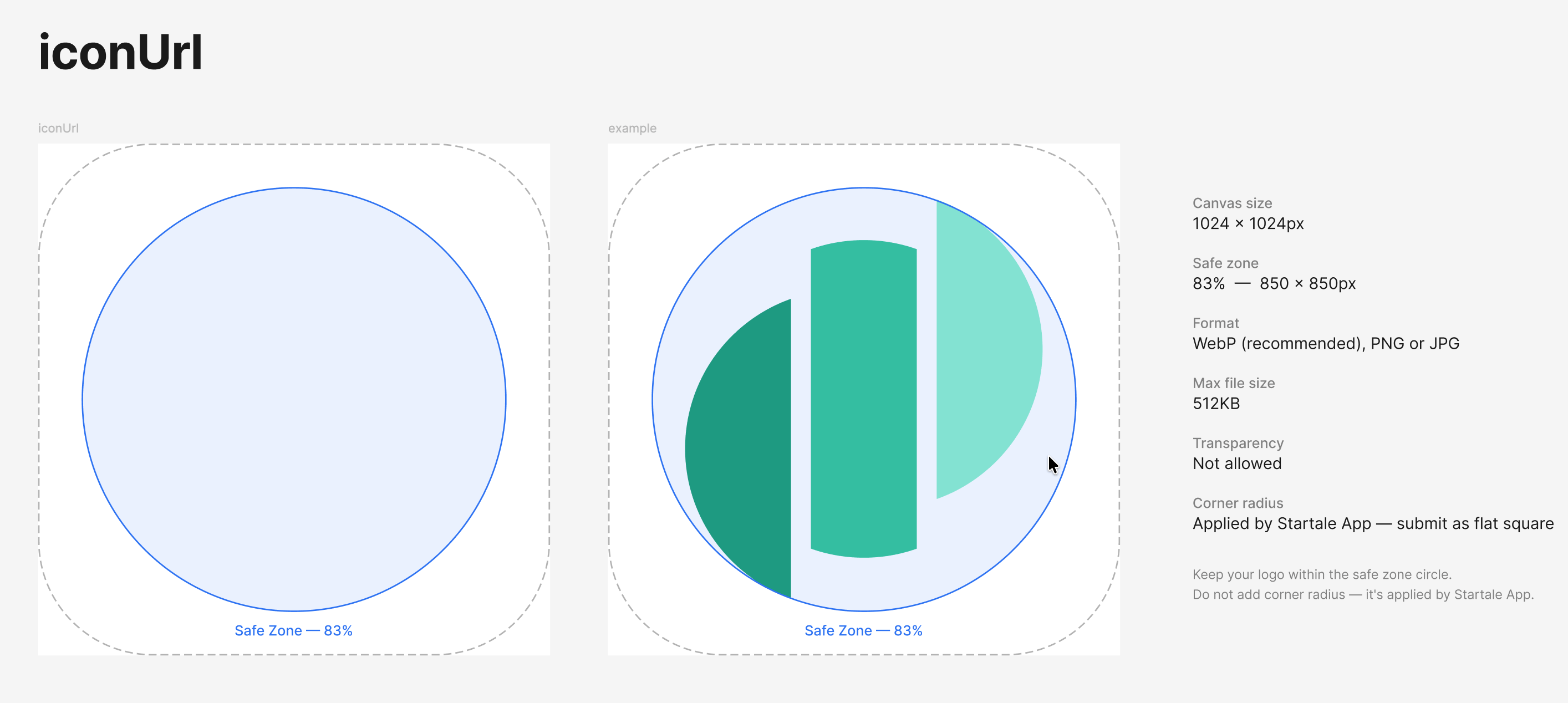
iconUrl safe zone diagram. The icon canvas is 1024×1024 px with a centered safe zone circle at 83% (850×850 px). Logos must stay inside the safe zone circle.
Value
Canvas size1024 × 1024 px
Safe zone850 × 850 px (83%), centered
FormatWebP recommended, PNG, or JPG
Max file size512 KB
TransparencyNot allowed
Corner radiusApplied by the Startale App, submit as a flat square
Keep your logo within the safe zone circle. Do not pre-apply a corner radius. The Startale App rounds the corners for you.

Hero image safe zone
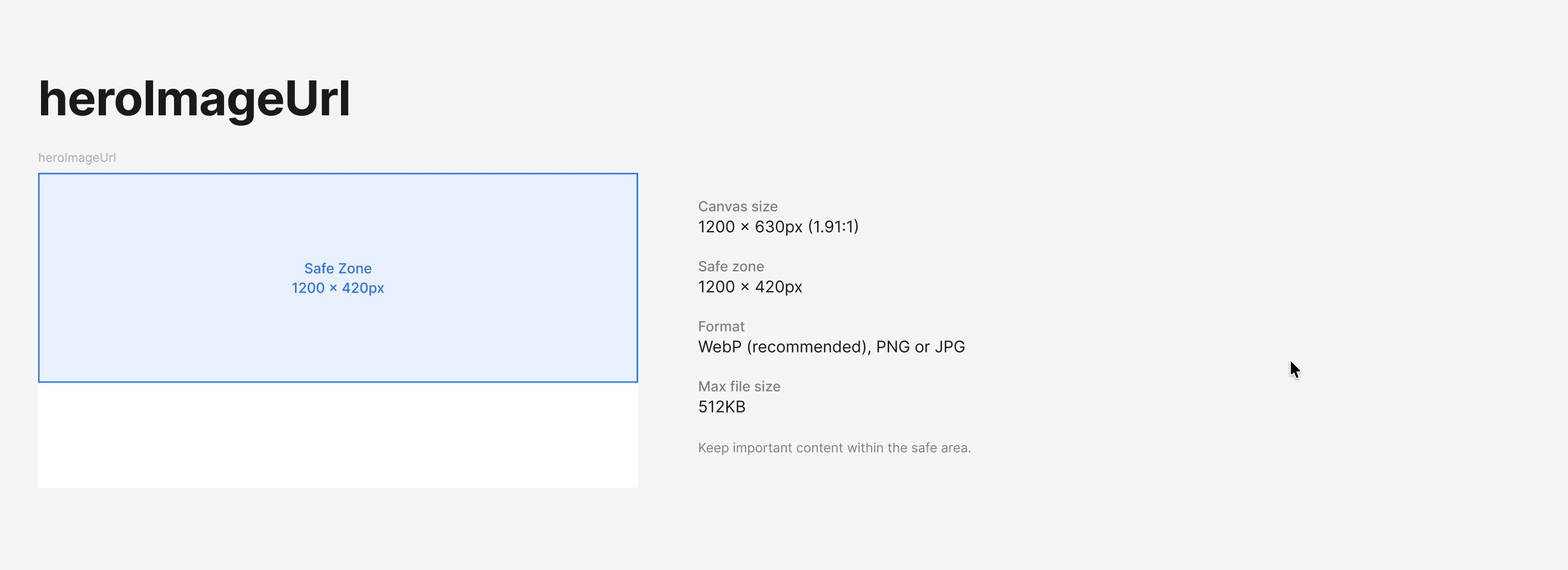
heroImageUrl safe zone diagram. The canvas is 1200×630 px (1.91:1) with a vertically centered safe zone of 1200×420 px.
Value
Canvas size1200 × 630 px (1.91:1)
Safe zone1200 × 420 px, vertically centered
FormatWebP recommended, PNG, or JPG
Max file size512 KB
Keep important content within the vertically centered safe area. The hero image is used for the app grid card.
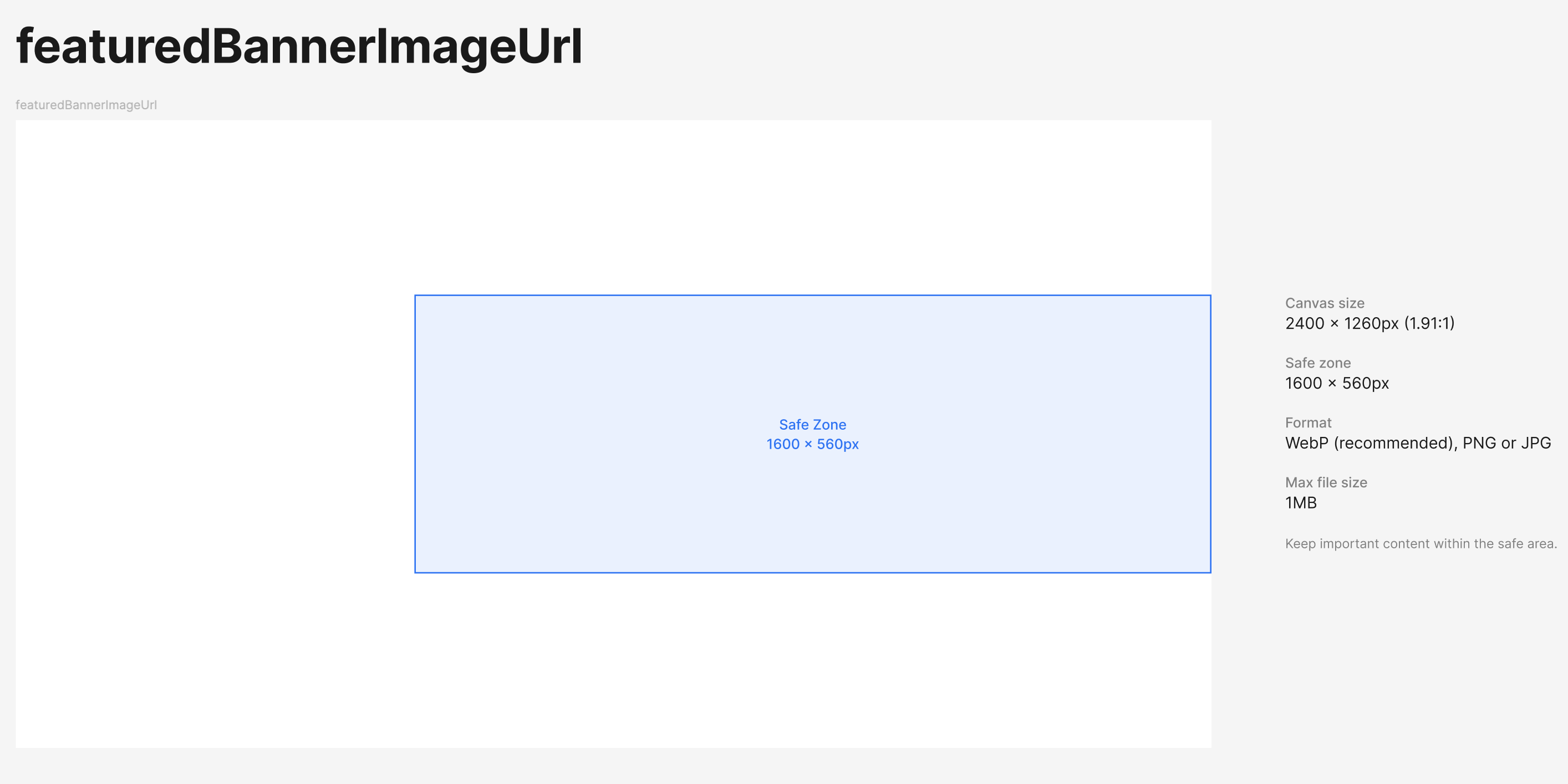
featuredBannerImageUrl safe zone diagram. The canvas is 2400×1260 px (1.91:1) with a centered safe zone of 1600×560 px.
Value
Canvas size2400 × 1260 px (1.91:1)
Safe zone1600 × 560 px, centered
FormatWebP recommended, PNG, or JPG
Max file size1 MB
Desktop overlayApp info panel covers the left ~33% of the canvas
Mobile overlayInfo bar covers the bottom ~20% of the canvas
Place logos, characters, title text, and other focal content inside the centered 1600×560 safe zone. Background imagery can extend to the full canvas, but anything load-bearing should sit within the safe area.

App viewport

If screenCompatibility.desktop is omitted or false, your Mini App renders inside a 424×695 px portrait frame on desktop. When desktop: true, the iframe expands to fill the available browser viewport. When landscapeOnly: true, the effective canvas is 695×424 px, content is rotated 90° clockwise, and you should design at that effective size.

Aspect ratio enforcement

Aspect ratios above are enforced at validation with a 1% tolerance. A 1200×640 image, for example, fails the 1.91:1 hero ratio check.

Hosting recommendations

  • Serve images over a CDN with HTTP/2 and proper Cache-Control headers.
  • WebP delivers smaller files than PNG or JPG at the same visual quality. Use it where possible.
  • Avoid serving images from third-party redirect chains. Only 3 redirects are followed before the URL is rejected.